
THE MAC APP FOR YOUR AI STACK
Your AI stack.
Under control.
Manage your coding tools, discover skills and MCPs, and compare models. One native Mac app. Free and open source.
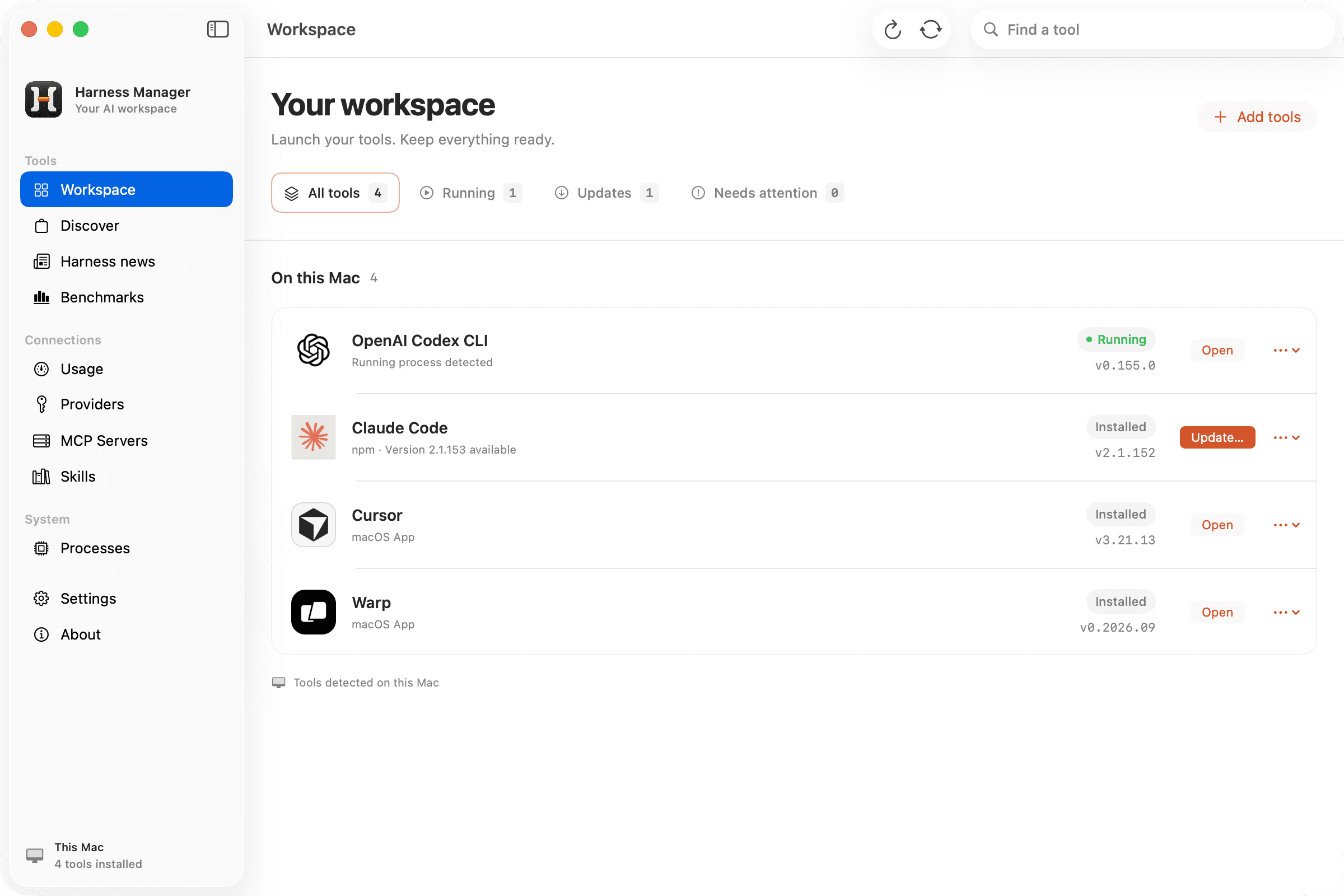
See what’s installed, what’s running, and what needs an update.
Your favorites. And your next favorites.
 Claude Code
 Codex
Codex Gemini CLI
 Cursor
 OpenCode
 Warp
Warp Antigravity
 Antigravity IDE
 T3 Code
 Conductor
 Superset
 Paseo
Paseo cmux
cmux Orca
Orca Herdr
Herdr Emdash
Less setup to manage.
More space to build.
Your tools, connections, and updates. Together, where you can see them.
Find the next piece
of your workflow.
Browse harnesses, MCPs, and skills by popularity. From Claude Code and Codex to the tools you haven’t tried yet.
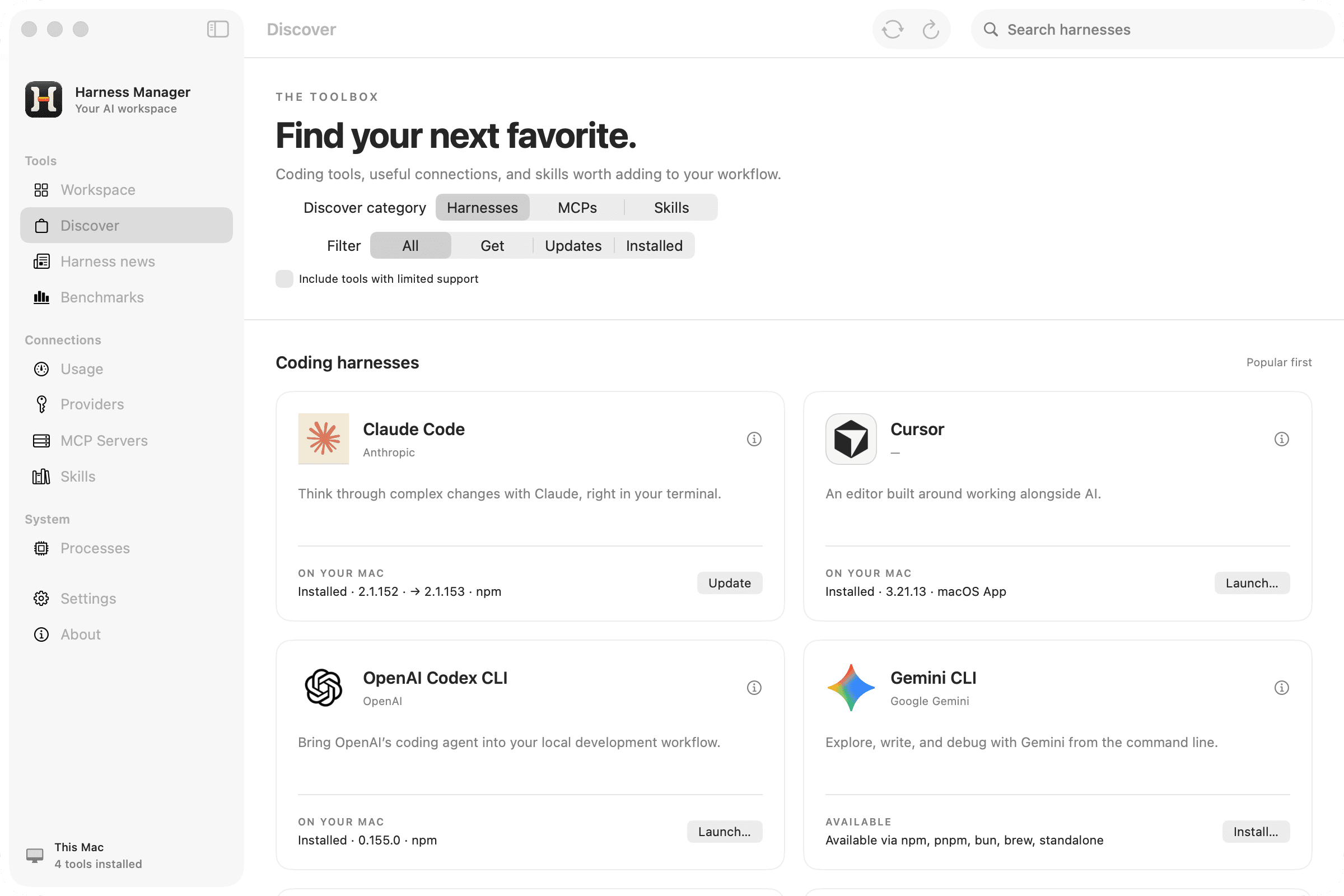
Your updates.
Your call.
See what needs an update, review the command, and decide when it runs.
The rest of your setup,
in plain sight.
See provider configuration, MCP servers, skills, and running processes alongside the tools that use them.
BENCHMARKS & RANKINGS
Compare models.
Find your next fit.
Coding, design, reasoning, local models. Compare the options for the work you actually do, right alongside your tools.
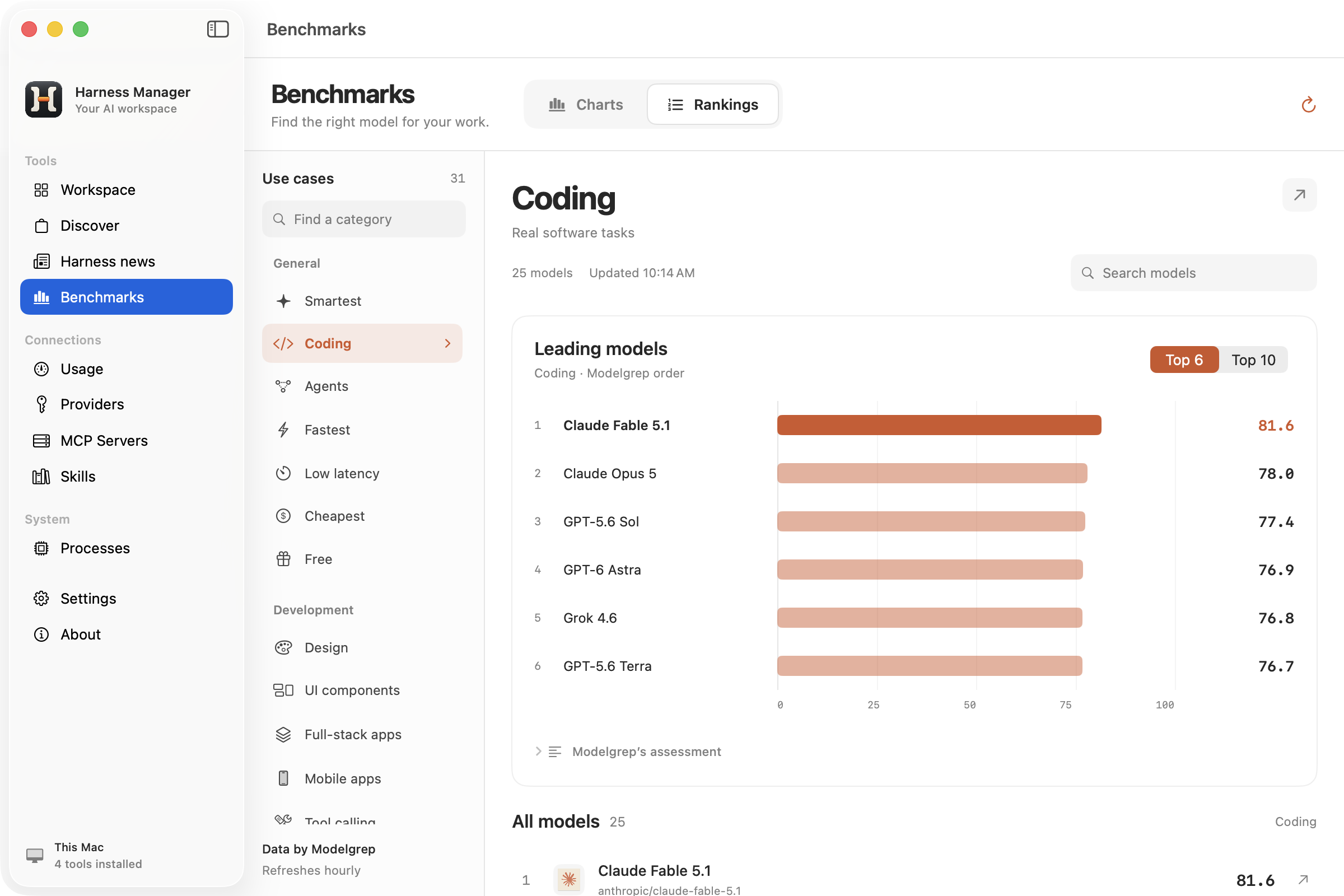
A better starting point for your next build.
Compare coding models, then dig into agents, tool calling, full stack apps, and more. Find a shortlist that fits the work.
- Ranked collections
- 31
- Comparison metrics
- 7
Real app captures. Rankings change as the data updates.
Data by ModelgrepFrom coding to creative work.See all 31 ranking collections
General
- Smartest
- Coding
- Agents
- Fastest
- Low latency
- Cheapest
- Free
Development
- Design
- UI components
- Full-stack apps
- Mobile apps
- Tool calling
- Long-context reasoning
Reasoning & knowledge
- Reasoning
- Math
- Science
- Writing
- Instruction following
- RAG
- SQL and analysis
Deployment
- Local
- Open-source
- Small and fast
- Long context
- Vision
- Uncensored
Creative & specialist
- Data visualization
- SVG
- Game development
- 3D
- Roleplay
Browse these collections in the app. Compare individual metrics including intelligence, coding, agentic performance, design, speed, latency, and context. Rankings are a starting point; results depend on your task.
THE HARNESS BRIEFING
Beyond
the changelog.
New harnesses. Useful ideas. The story behind the release. Keep up with the ecosystem without keeping twenty tabs open.
From OpenAI, Google Developers, Simon Willison, Hacker News, and project releases. Every story links to its source.
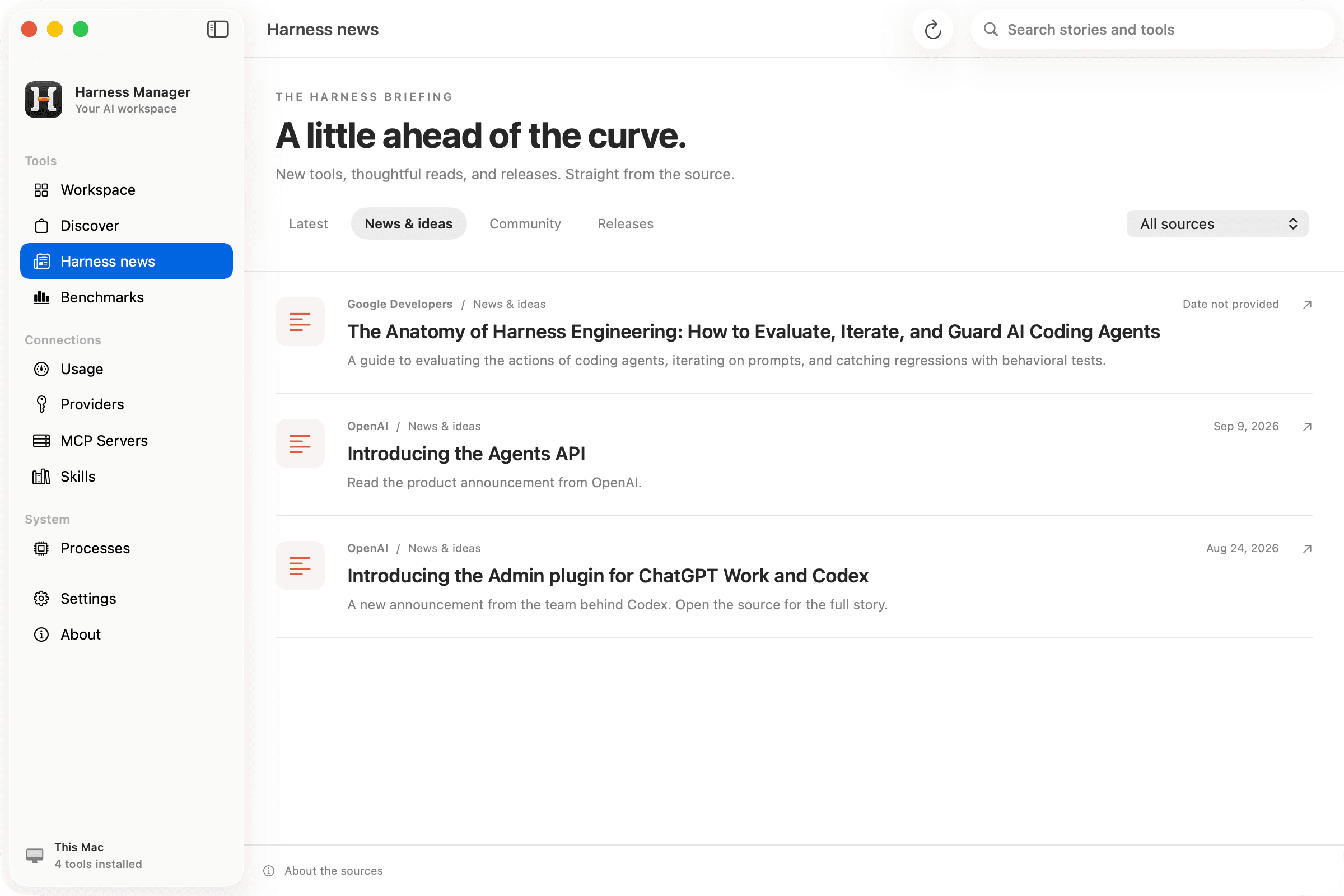 Real articles. Real sources. Read in the app.
Bring your tools.
We’ll help you keep track.
Download. Drag. Open.
Move Harness Manager to Applications and open your workspace. No build tools required.
See your existing stack.
Find supported tools and configuration already on your Mac, together in one view.
Make your next move.
Review an update, discover a skill, or compare models for your next project.
Made for you. Open to everyone.
Free to use, inspect, and make your own. Licensed under Apache 2.0.
Your stack, sorted.
Back to building.
One workspace for your AI tools. Free and open source.
Download for MacEarly preview. This build is not yet notarized.
macOS may require approval in Privacy & Security on first launch.